
Request header rules
Add or set a request header on every request that matches a URL filter, see it land on live traffic in the same window, and pause it with one click.
Updated
Send a header on every request to a host, such as a staging token, a feature flag or a debug user, and see it on the request that was actually sent, without a proxy and without touching the page.
Add a rule
- Click Headers in the tracker's toolbar.
- Fill in Header (such as
x-debug-user), Value, and URL filter, a substring of the URL such asapi.example.com. The filter matches like every pattern list; see Patterns. - Click Add. The rule is in force at once and the Headers count goes up by one.
- Reload the page, open a matching request, and find the header on its Headers tab with the note "Matches one of your header rules".
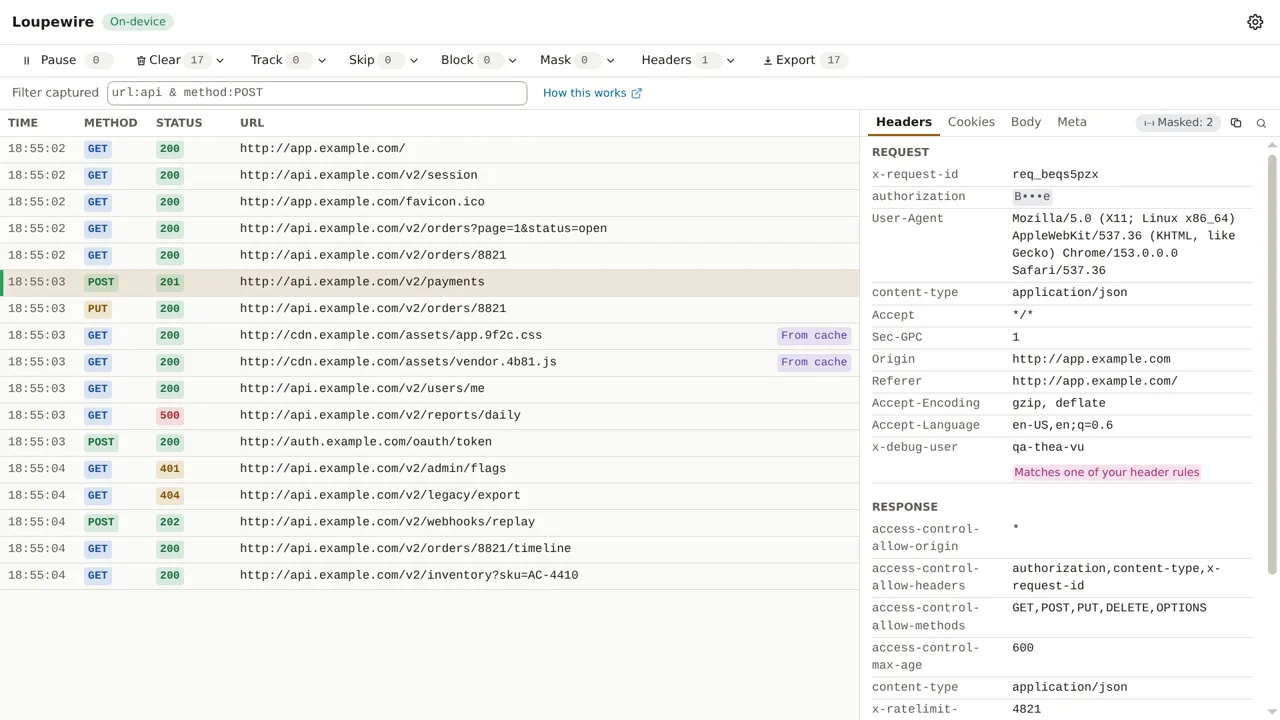
The browser applies the rule itself, so the request in the table is the one that went out. The name comes back in lowercase, which is how the browser reports a header a rule set, and a masked header stays masked: a rule you wrote is not a reason to uncover a token.
Think twice before leaving the filter empty. A rule with no filter sends its header to every site you load while the tracker is open. For a token, that means your credential. Name the host.
Headers that get a warning
Nothing is refused by name. Host, Connection, Content-Length, Transfer-Encoding,
Keep-Alive, Upgrade, TE, Trailer and anything starting with Proxy- or Sec- are part of
how the connection works, so their rule is accepted with an alert triangle: editing one may break
the request rather than change it.
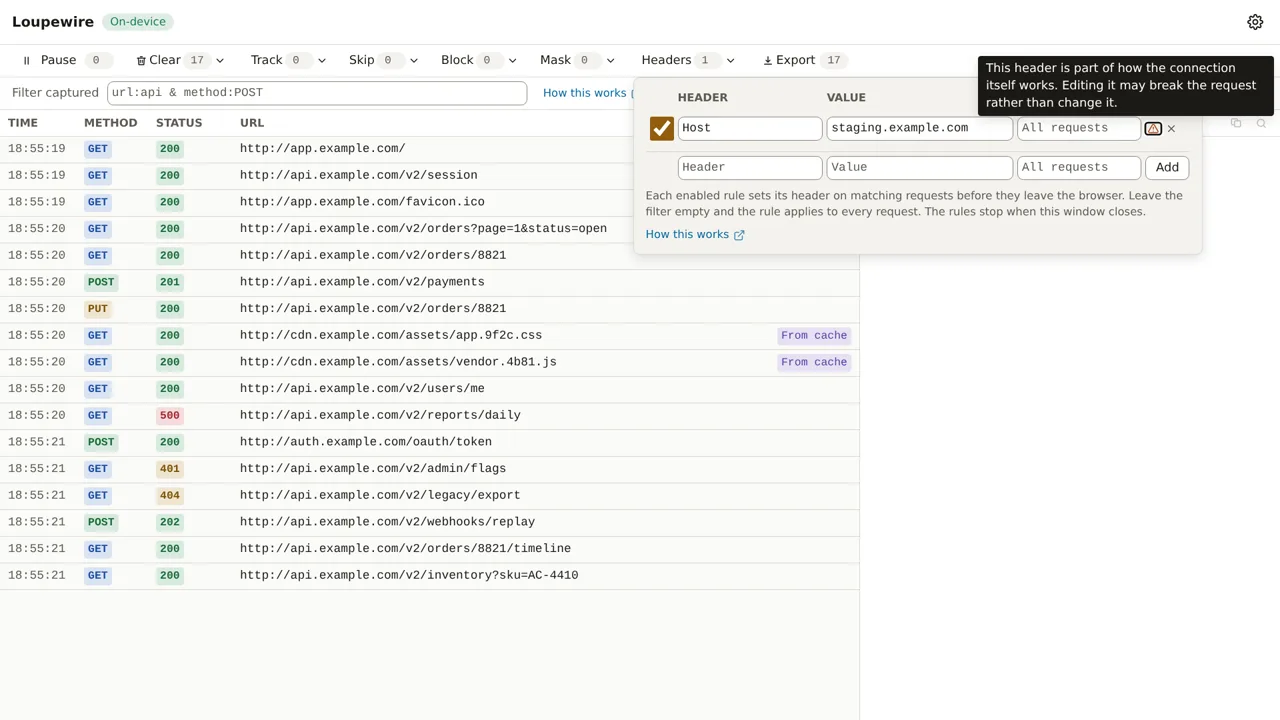
What the panel does refuse: an invalid header name, a value outside plain ASCII, a filter containing
*, ^ or |, and a second rule with the same header and the same filter.
Pause a rule
Untick a rule to pause it: it stays in the list and the next matching request goes out without the header. Tick it to resume; the delete button removes it.
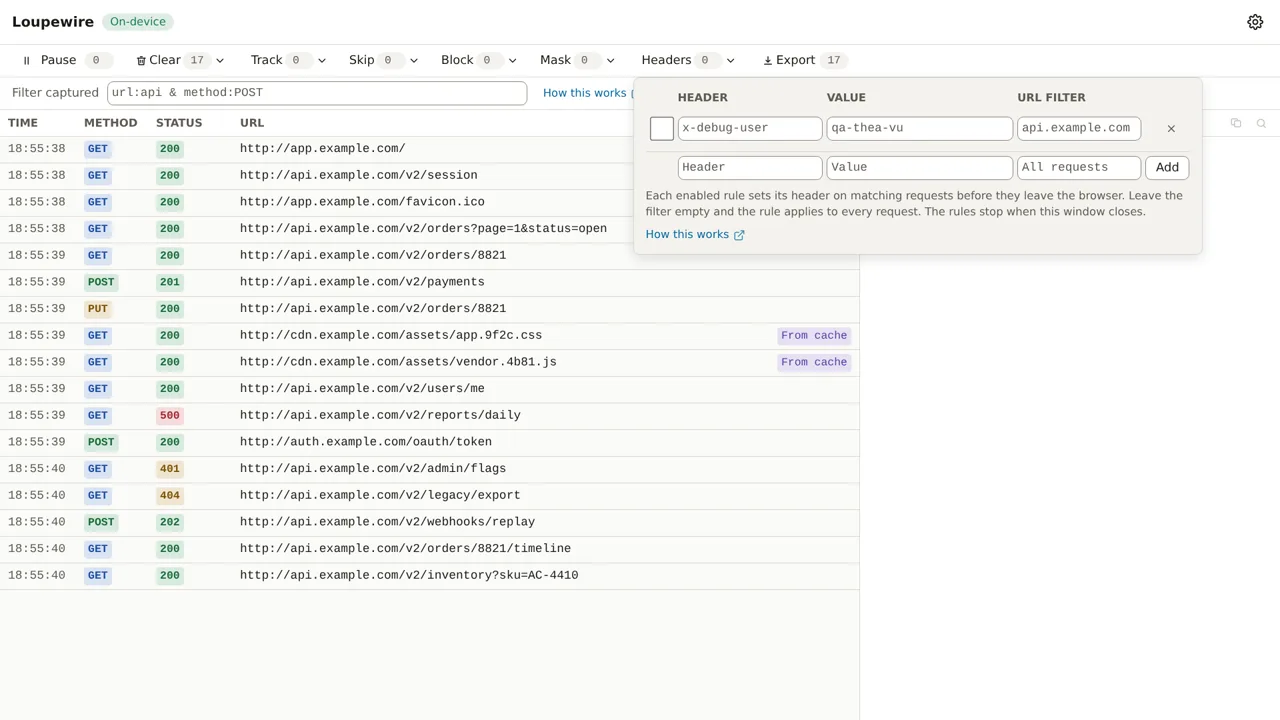
Rules are in force only while the tracker window is open, and come back when it opens again, so nothing keeps attaching a header without a window to show it.
Common mistakes
- The header is missing from a request. Check the filter against the full URL, scheme included:
example.com/apidoes not matchhttps://api.example.com/. - Two rules for one header on the same URL. Which value wins is not defined. Give them filters that do not overlap.
- Looking for response headers. This panel sets request headers only.
Not in this version
Rules always set a header, creating or overwriting it. Appending to a value, removing a header, matching by regular expression or HTTP method, and response header rules are not in this version.