
Start here: your first capture
Open the tracker, read the table, and learn the three things that surprise people: where it opens, what it cannot show, and what closing the window costs.
Updated
Record what every tab in your browser sent and received, in one list you can show to someone who was not there.
Capture a page
- Press
Ctrl+Shift+1, or click the Loupewire icon in the toolbar. If a tracker is already open, both focus it instead of opening a second one. - Load or reload a page in any tab. Every request from every tab appears here, and each leg of a redirect is its own row.
- Click a row to open it in the panel on the right.
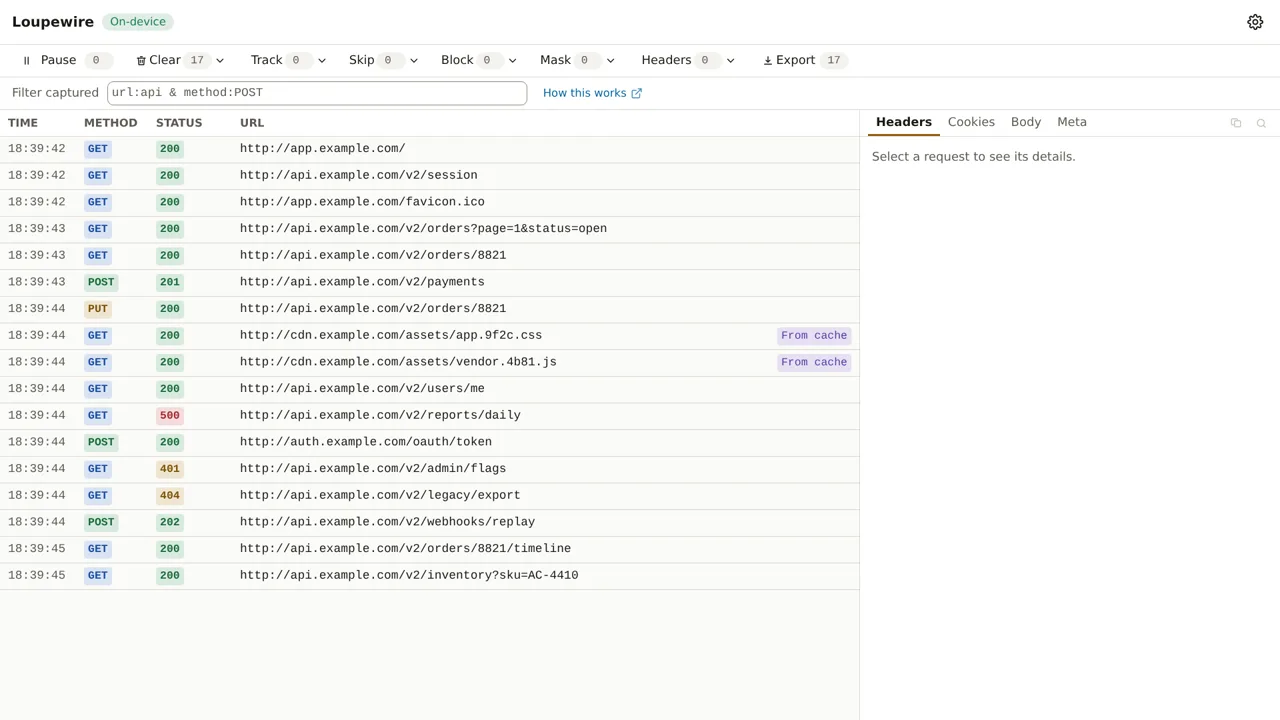
The tracker opens in its own window because Chrome discards background tabs when memory runs short, and a discarded tab would take the capture with it. You can choose a tab in Settings; switching moves an open tracker, rows and all.
Read a request
A row shows TIME, METHOD, STATUS and URL. A request still in flight shows a waiting
mark, a failed one shows ERR, and one your block pattern stopped shows BLOCKED. The panel has
four tabs:
- Headers: the request headers as sent and the response headers as received.
- Cookies: the cookies sent with the request and the ones the response set.
- Body: the request body, as form fields or raw bytes.
- Meta: resource type, tab, initiator, server IP, duration, and whether it came from cache.
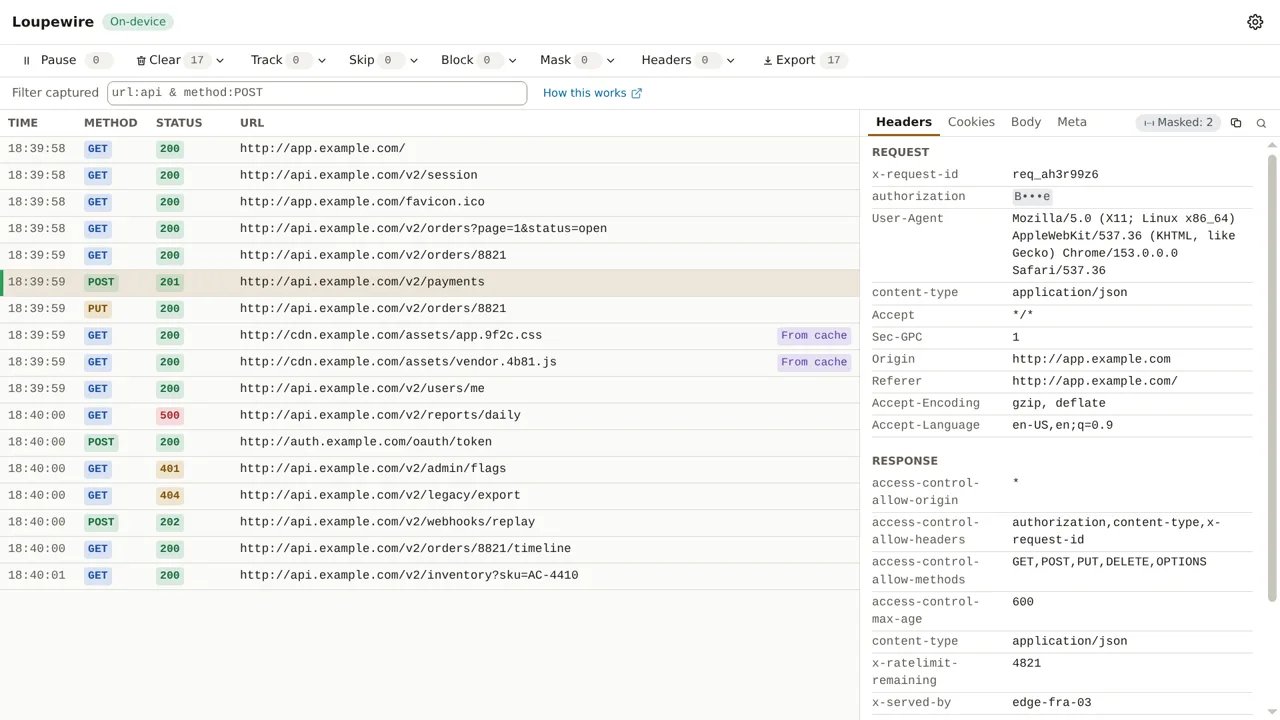
Values such as Authorization, Cookie and common token names are covered as B•••e from the first
request, on screen and in exports. That is the built-in secret preset; see
Mask and the secret preset.
Pause and clear
- Pause stops recording. Rows stay, and your block patterns and header rules stay in force: a paused tracker still changes what the browser does. Resume carries a count of the requests missed.
- Clear removes all rows, the selected rows, or the rows the filter shows. All and Shown ask first, because nothing is saved anywhere else.
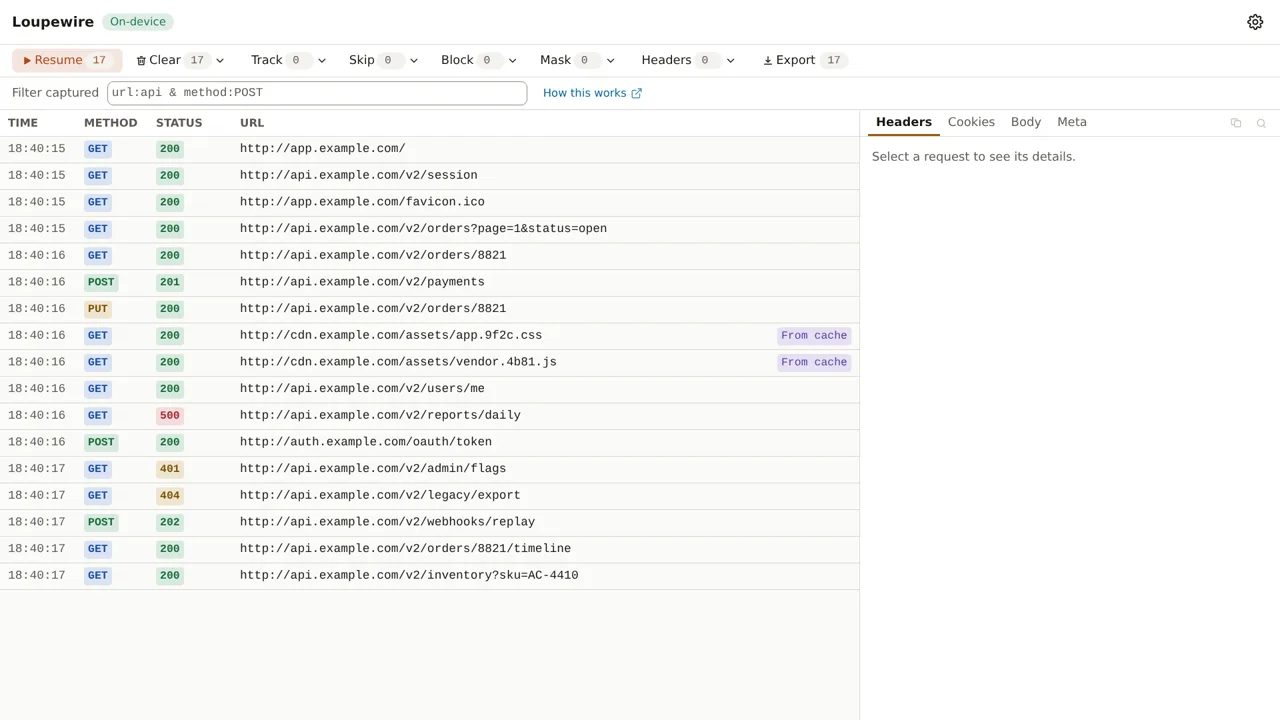
What you type in the tracker's toolbar lasts as long as this window; what you set in Settings applies to every window. Next, read Patterns: one rule, four places.
Common mistakes
- Expecting the capture to survive the window. Nothing is written to disk, so closing the tracker loses every row. Export before you close.
- On Brave, a request that never appears. Shields blocks below where any extension can see, so a request it stopped has no row at all. Check Shields first.
- Looking for another extension's traffic. The browser does not show one extension's requests to another.
Not in this version
Response bodies, saved sessions that survive the window, and comparing two requests side by side are not available in this version.