
Capture response bodies
See what the server answered to the page's own fetch and XHR calls, masked like every other value, on the sites you choose and nowhere else.
Updated
See what the server answered to the page's own API calls, masked like every other value, on the sites you choose and nowhere else.
Turn on a site
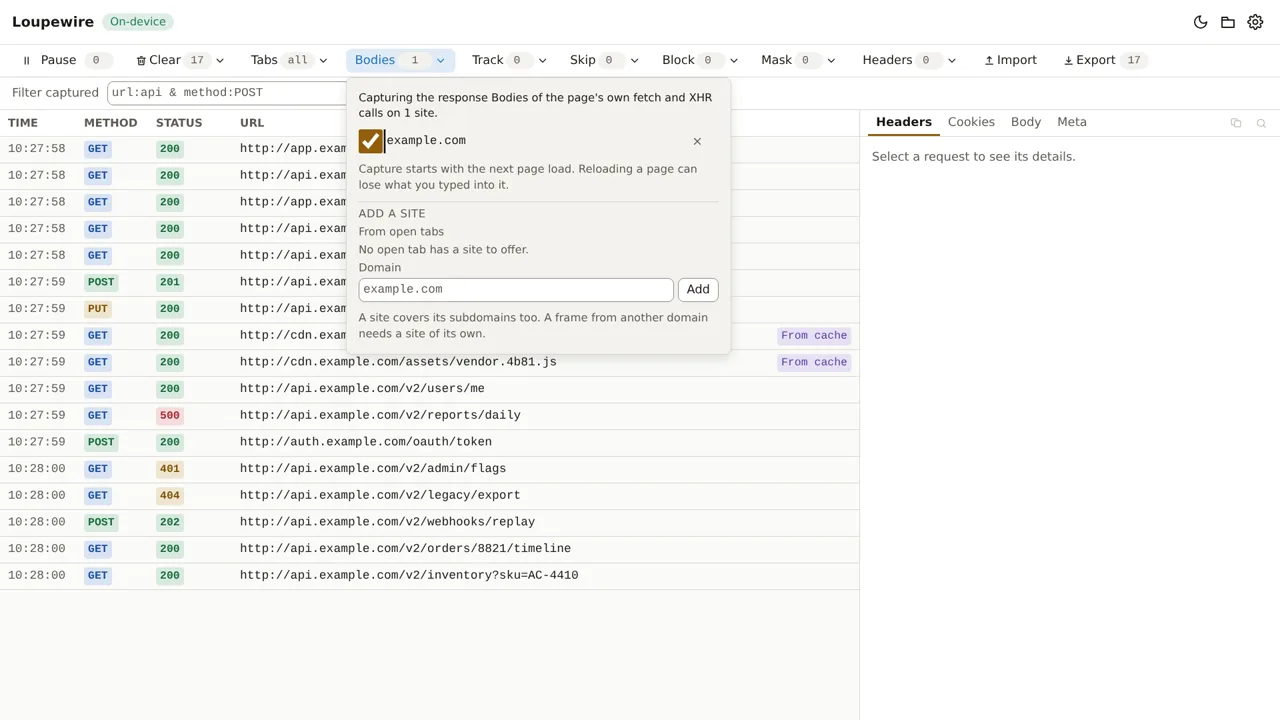
- Click Bodies in the tracker's toolbar. Its pill reads
offuntil a site is on. - Under Add a site, click one of the domains offered From open tabs, or type a domain under Domain and click Add. The site is on at once.
- Reload the tabs of that site, with Reload 1 tab in the popover or yourself: capture starts with the next page load.
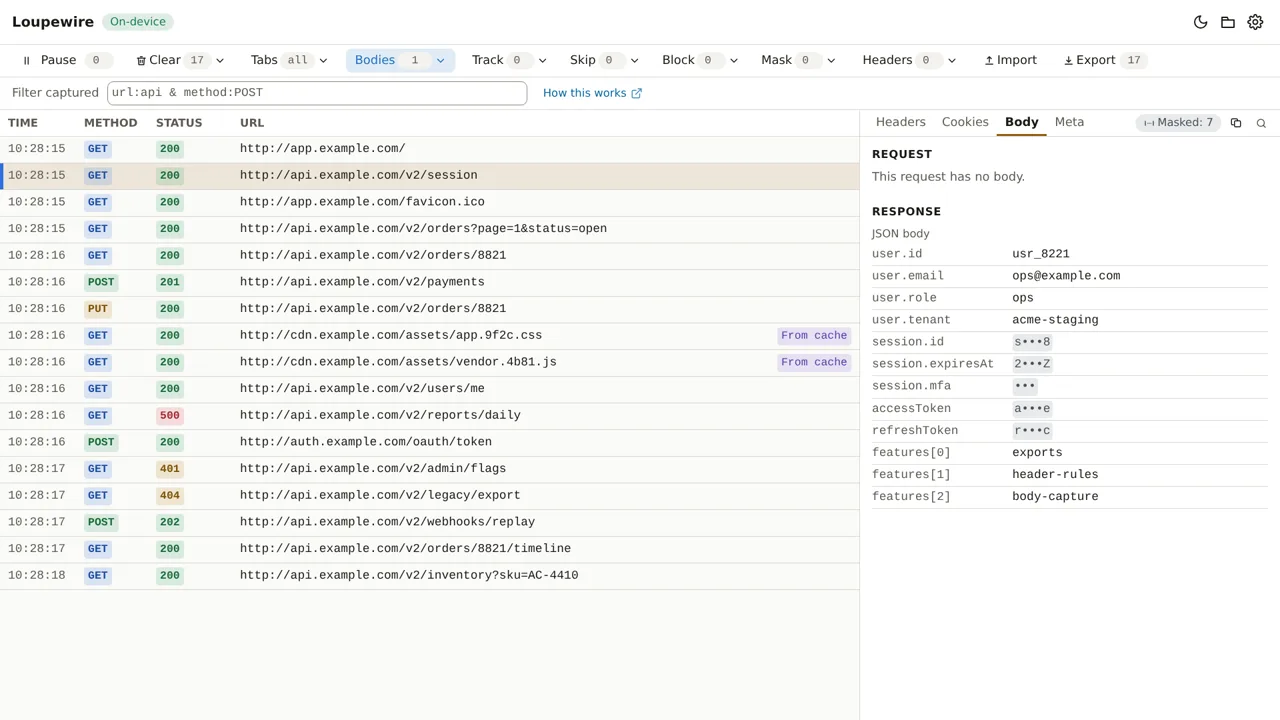
- Use the page. Open a request it made with fetch or XHR, then the Body tab: the Response part shows what the server sent.
What a site covers
A site is a domain and every subdomain under it: example.com covers app.example.com and
api.example.com. Each open host is offered at every level, such as app.eu.acme.com,
eu.acme.com and acme.com, so you can choose how wide to go.
| You type | The popover says |
|---|---|
| Nothing | Type a domain. |
| A domain already listed | That site is already listed. |
| Something that is not a domain | That is not a domain. |
| A domain with a path | A site is a whole domain. Leave out the path. |
*.example.com |
Leave out the *: a site already covers every subdomain. |
A single word, such as intranet |
Add the rest of the name, such as example.com. |
A registry, such as co.uk |
That names a registry, not a site. Add the site's own domain. |
| An IPv6 address | IPv6 addresses are not supported. |
A host with a port, an IPv4 address and localhost are accepted. A full URL pasted in keeps only its
host.
- Switch a site off with its switch to stop capturing there without forgetting it; remove it with its × button.
- The list is kept for the next time you open the tracker. Capture runs only while a tracker is open.
- A frame from another domain needs a site of its own: the site is decided by the page or frame that makes the call.
What is captured, and what is not
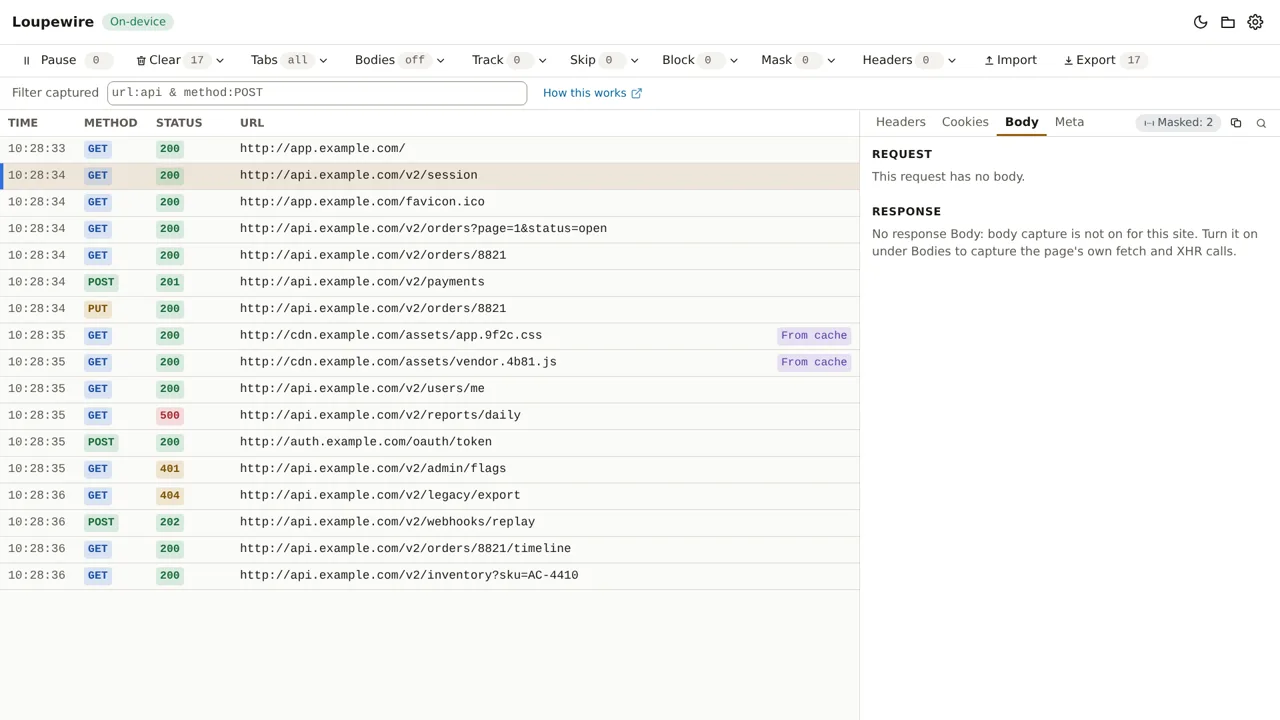
Only the page's own fetch and XMLHttpRequest calls have a response body, and only a body the page itself reads. A request without one says why in the Response part of the Body tab:
| The panel says (shortened) | Because |
|---|---|
| body capture is not on for this site | Turn the site on under Bodies |
| this page loaded before body capture was on for its site | Reload the page |
| only the page's own fetch and XHR calls have one | A navigation, an image, a script, sendBeacon or EventSource |
| a service worker, not the page, made this request | A request made outside the tab |
| no call by the page was matched to this request | A worker may have sent it, or the call could not be paired for certain |
| the page read it as a stream, which is not captured | Import a DevTools HAR to see it |
| yet: the page has not read it | It appears when the page reads it |
| the page asked XMLHttpRequest for parsed JSON or a document | There is no raw text to keep |
| it is larger than one body may be on this machine | Over 8, 16 or 32 MiB, depending on the memory your computer reports |
| it was dropped, oldest first, to stay within the memory set aside | The tracker keeps 32, 64 or 128 MiB of response bodies, newest first |
| it could not be matched to this request with certainty | None is shown rather than the wrong one |
| reading it failed in the page | The page's own read failed |
A call a service worker answered has no row at all; the popover counts them for each site, as "N calls answered by a service worker were not captured."
Masking, export and files
- Response bodies are masked by the same patterns and the same secret preset as everything else. A JSON body is listed field by field, and a pattern naming a key covers everything beneath it; see Mask and the secret preset.
- The panel shows the first 64 KiB of a body. An exported HAR or Loupewire JSON file carries it whole, masked to its end; see Export and copy.
- Nothing is stored. Bodies live in the tracker's memory and go when it closes, like every row.
What runs on the page
On a site you turn on, the tracker registers two small scripts for that site alone: one watches the page's fetch and XHR calls without changing them, and one passes what it saw to the tracker. They receive nothing from the extension, run only while a tracker is open, and are removed when it closes. Nothing runs on a site you have not turned on, and Loupewire never attaches a debugger to your tabs.
If the browser's Site access setting keeps Loupewire off a site, nothing runs there either, even when the site is on in the list.
Common mistakes
- Not reloading. A page loaded before the site was turned on has no scripts; its rows say so. Reloading a page can lose what you typed into it, which is why the tracker never reloads on its own.
- Turning on the API host instead of the page's. The site is the page that makes the call:
app.example.comcallingapi.example.comneedsexample.comorapp.example.comon. - Expecting bodies for page loads and images. Only fetch and XHR calls have one. For the rest, import a HAR saved from DevTools; see Import a HAR.
Not in this version
Bodies a page reads as a stream, and responses a service worker answers, are not captured. Request bodies keep working as before, on every site, with no list.