
Track and Skip
Two lists that decide what the tracker records at all. What Skip removes is gone for good, which is why the filter bar exists beside them.
Updated
Keep the noise out of a capture before it becomes a row: record only the requests you care about, or never record the ones you do not.
Record only what you need
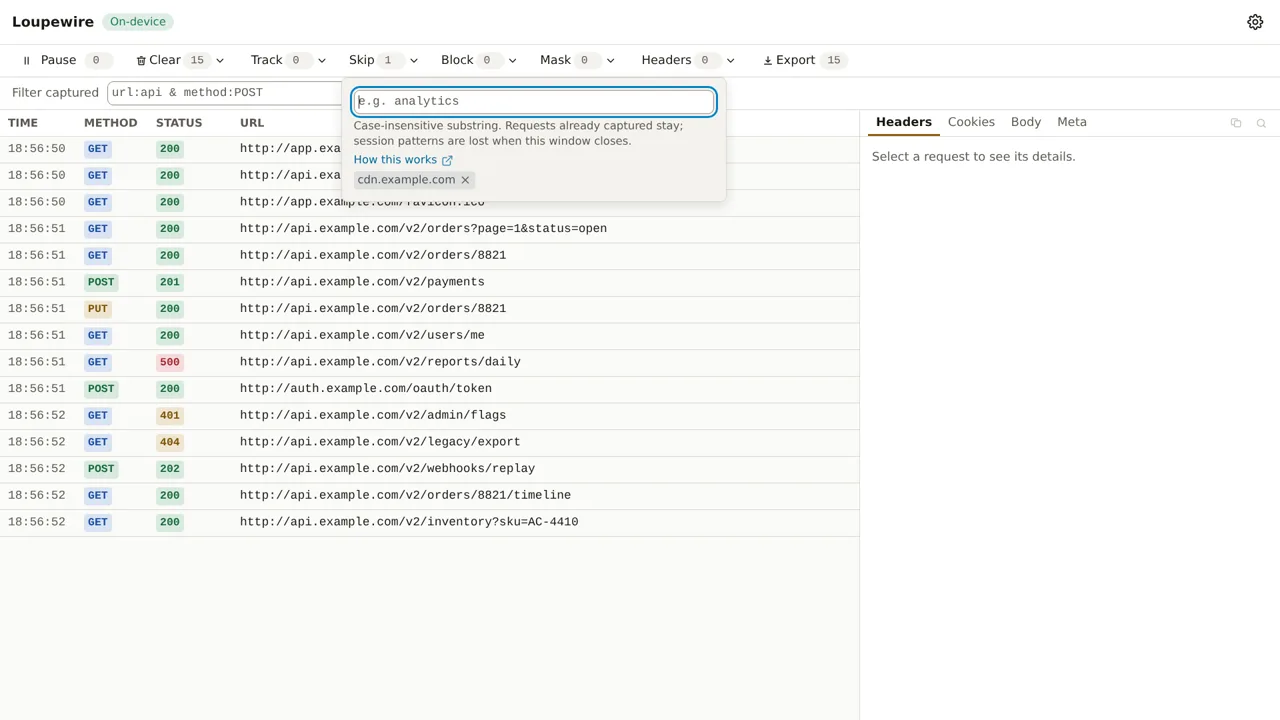
- Click Track in the toolbar, type part of the URL you care about, such as
/v2/orders, and press Enter. The box clears for the next pattern; add as many as you need. - Load or reload the page. Only requests matching a Track pattern become rows.
- To keep noise out instead, click Skip and type it there: a telemetry host, an ad network, a polling endpoint you already understand.
- Remove a pattern with the × on its chip. It stops applying from the next request.
Patterns act on requests from now on: rows already captured stay until you clear them.
The rule
A request is recorded when the Track list is empty or one Track pattern matches its URL, and no Skip pattern matches it.
| Track list | Skip list | Recorded |
|---|---|---|
| empty | empty | everything |
/v2/ |
empty | only URLs containing /v2/ |
| empty | cdn. |
everything except URLs containing cdn. |
/v2/ |
/v2/ping |
URLs containing /v2/, except the ping endpoint |
- Each pattern is a case-insensitive substring of the full URL, scheme and query included. How matching works for every list: Patterns.
- Skip wins. A URL both lists match is not recorded.
- Each request is judged on its own URL, so a redirect leg whose URL stops matching has no row, while the leg that redirected to it keeps one.
- Track and Skip have no limit on how many patterns they hold.
| You type | The tracker says |
|---|---|
| Nothing | Type something to match |
| A pattern already in the list | Already in this list |
| A pattern already in Settings | Already applied from options |
Skip leaves no trace
A request Skip excluded has no row and nothing to recover, and removing the pattern afterwards does not bring it back. It is not counted either: the count on Resume while paused leaves out what Skip would have dropped. That is why the filter bar sits beside these lists: it only hides. Use Skip for noise you are sure about, and the filter while you are still looking.
Track a flow without naming its hosts
A login, a payment check or a vendor checkout crosses hosts nobody can list in advance, and a narrow Track list drops the ones you did not think of. Use Tabs → One tab and the tabs it opens instead: it records one tab and every tab or popup opened from it, whatever host they reach. The capture scope is checked first; Track and Skip then apply to what it lets through.
Keep a list for every window
Patterns typed in the tracker last until the tracker closes; moving it between a window and a tab with the header switch keeps them. For hosts you never want to see, open Settings → Global patterns and add them under Track URLs having or Skip URLs having. They apply to every tracker from then on, reach an open one at once, and show in its popover as From options: chips without a remove button. Reset to defaults in Settings clears them.
What Track and Skip do not touch
- An imported HAR. Its rows are never gated by these lists; use the filter on it.
- Blocking. A blocked request is still blocked when Skip leaves it out; it just has no row.
- Sites Loupewire cannot access. No pattern can record a tab the browser hides from the extension; the tracker shows a banner when Site access is limited.
- Response bodies. A Track pattern does not turn on body capture; that is the Bodies list.
Common mistakes
- One Track entry that excludes everything else. The redirect you were about to follow and the auth call you did not think about are gone too. Prefer Skip, the capture scope, or the filter.
- Skipping the host you are debugging.
example.comin Skip removesapi.example.comas well. Name the narrowest thing that is really noise. - An empty table and a Track count above zero. The table only says "No requests captured."; check the Track button before you check the page.
Not in this version
Regular expressions, wildcards and matching by HTTP method are planned. A count of what the patterns left out is not.