
Export and copy
Four ways out of the browser, all of them already masked. What the file says about its own scope, and the one thing the export dialog refuses to claim.
Updated
Get evidence out of the browser and into a ticket in one step, already masked: as a HAR or JSON file, or as text or a cURL command on the clipboard.
Export a file
- Select the rows you want, filter the table down to them, or leave both alone for everything.
- Click Export in the toolbar; its count is the number of requests captured.
- Under Requests to include, choose the scope, and under Format, the format.
- Click Export in the dialog.
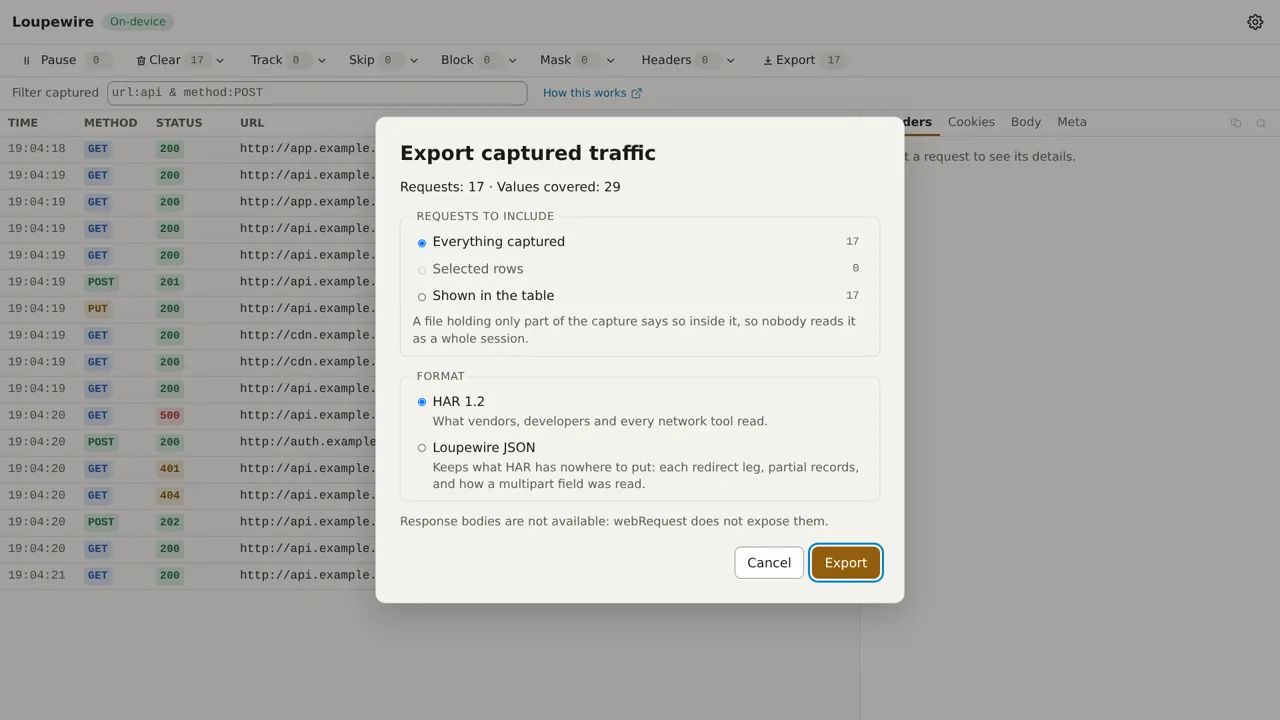
| Scope | Exports |
|---|---|
| Everything captured | every row in the view on screen |
| Selected rows | the rows you selected, including any the filter now hides |
| Shown in the table | exactly the rows the filter shows |
- Each scope shows its count, and a scope with no rows cannot be chosen.
- The dialog opens on Selected rows when rows are selected, otherwise on Everything captured: of the two ways to be wrong, the narrower cannot over-share. It opens on HAR 1.2 every time; your last choice is not remembered.
- The summary Requests: N · Values covered: M comes from the same masking pass that writes the file.
- A file holding part of the capture says so inside it, in the HAR log comment ("SUBSET: this file
holds only…") and in a
scopefield of the JSON, so nobody reads it as a whole session. When the tracker had already dropped its oldest requests, the file says that too. - With nothing captured, the dialog says "Nothing has been captured yet, so there is nothing to export."
HAR or Loupewire JSON
| Format | Choose it when |
|---|---|
| HAR 1.2 | someone else will open it: vendors, developers and every network tool read HAR |
| Loupewire JSON | you need what HAR has nowhere to put: each redirect leg, partial records, how a multipart field was read, a value that was missing rather than empty, which patterns covered the file and why a request has no response body |
The file is named loupewire-YYYYMMDD-HHMM.har or .json, in your local time. Nothing from the
traffic goes into the name.
What the file covers
Everything the panel covers is covered in the file: headers, cookies, form and multipart fields, and
JSON values by key, in request and response bodies. The file then covers more than the screen does,
because a URL stays readable on screen: query parameters, a fragment shaped like parameters, the
redirect target, and the Location, Content-Location and Refresh headers. Details in
Mask and the secret preset.
- Response bodies are in the file where a row has one: the page's own fetch and XHR calls on sites turned on under Bodies, and every body of an imported HAR. They are written whole, masked to their end, though the panel shows only the first 64 KiB.
- Request bodies keep the 64 KiB the panel shows.
- A request without a response body carries the reason in the file, as the panel shows it.
- With the secret preset off, the dialog warns before you export; see the mask guide.
Built, not "saved"
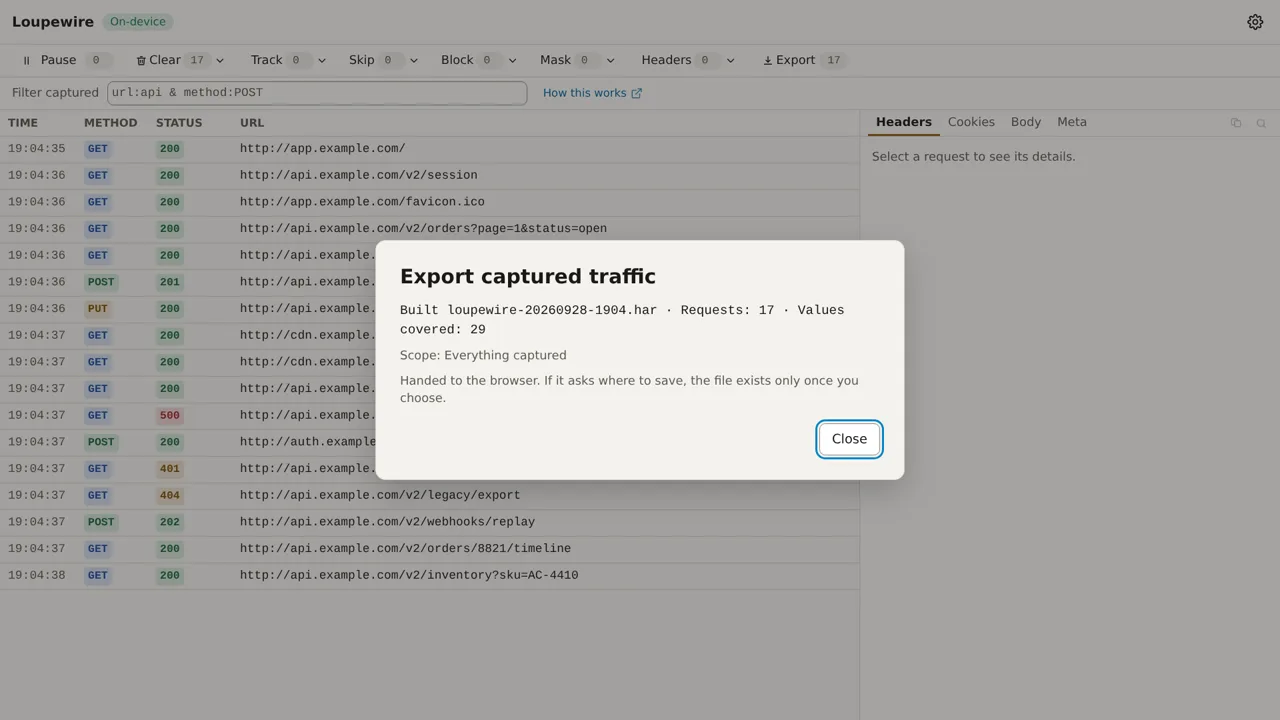
After Export, the dialog reads Built and the file name, the two numbers, the scope, and "Handed to the browser. If it asks where to save, the file exists only once you choose." It never says the file was saved: the page gets the same answer whether the file reached your downloads folder or you cancelled the save dialog, so "saved" would be a claim it cannot support. If building fails, it says "The export failed:" and the reason.
Export an imported HAR again
With an imported file on screen (the Live / file switch beside Import), Export takes that file's
rows, masked like live ones. The new file says the requests were imported and masked by Loupewire,
not captured by it, and lists what it dropped rather than write unmasked: WebSocket messages,
initiator stacks, page titles, comments, cookies listed without a Cookie or Set-Cookie header,
custom _ fields and malformed headers. It never contains the imported file's name.
Copy one request
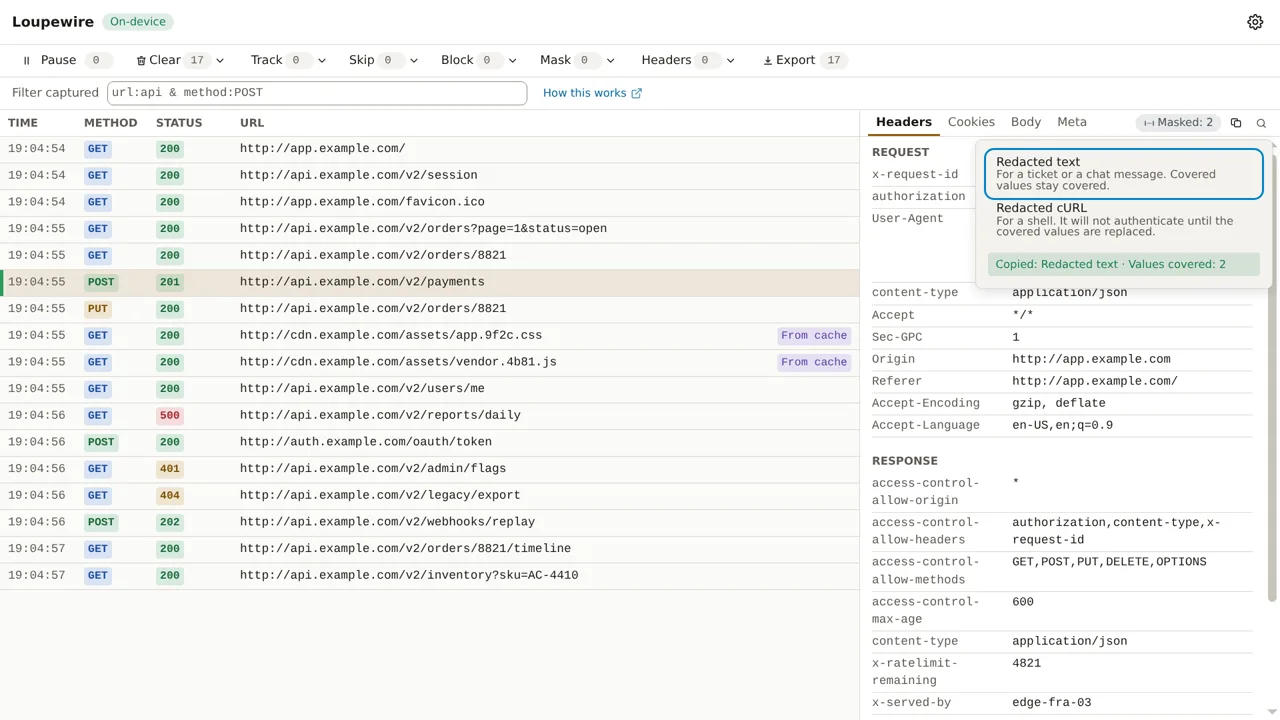
- Select a request and click the copy icon, Copy this request, on the panel's tab strip.
- Choose Redacted text ("For a ticket or a chat message. Covered values stay covered.") or Redacted cURL ("For a shell. It will not authenticate until the covered values are replaced.").
The confirmation reads Copied:, what was copied, and how many values were covered. A copy can be checked, so this one is definite. It copies the request shown in the panel only; for several, export Selected rows. Text includes the response body, cut at 64 KiB; cURL cannot carry one.
There is no unmasked copy. To read a real value, switch the secret preset off for the tracker, where a warning comes with it.
Common mistakes
- Exporting with the secret preset off. The dialog warns you; read the warning.
- Pasting the cURL command and expecting a 200. It carries covered values on purpose.
- Comparing the file's URLs with the table's. A secret in a query parameter is covered in the file and readable on screen, by design.
Not in this version
A masking report and per-request notes that travel into the file are planned, and so are saved sessions; today an export is the only way to keep captured traffic after the tracker closes.