
Block a request
Stop a request from ever leaving the browser, to prove a dependency or simulate an outage. The row stays in the table, marked, so you keep the evidence.
Updated
Stop a request from ever being sent, to prove a page depends on an endpoint or to simulate a third-party outage, and keep the blocked request in the table as evidence.
Block a request
- Open Block in the toolbar.
- Type part of the URL you want stopped, such as
/v2/reportsoranalytics.example.com, and press Enter. It is in force at once. - Load or reload the page in any tab.
- The matching request appears with
BLOCKEDin the status column. Open it to see why.
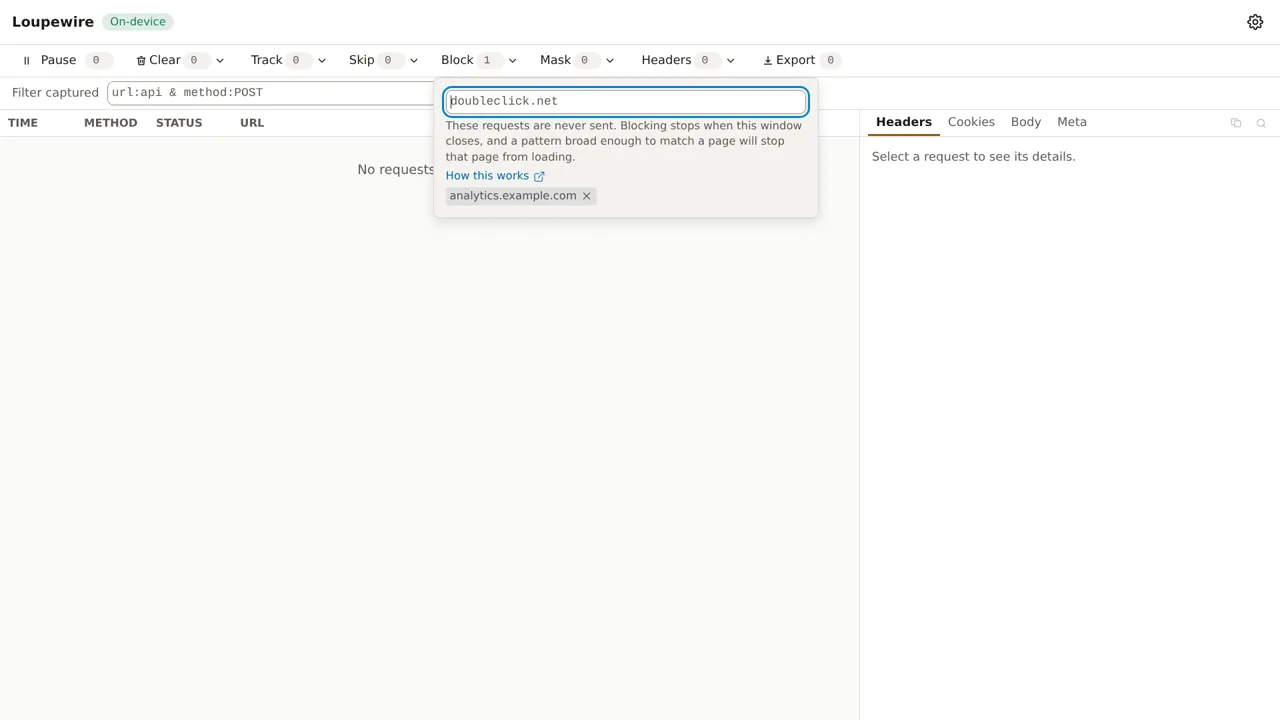
Matching works as it does for every pattern list: see Patterns. Block is the one
list that refuses *, ^, | and non-ASCII text, because the browser's rule engine gives those
characters a meaning of its own.
Read a blocked request
- Headers and Cookies are empty and say why: nothing was sent.
- Body still shows what a POST was about to send, often the reason you blocked it.
- Meta says who blocked it, keeps the browser's own error underneath, and shows a duration of a fraction of a millisecond.
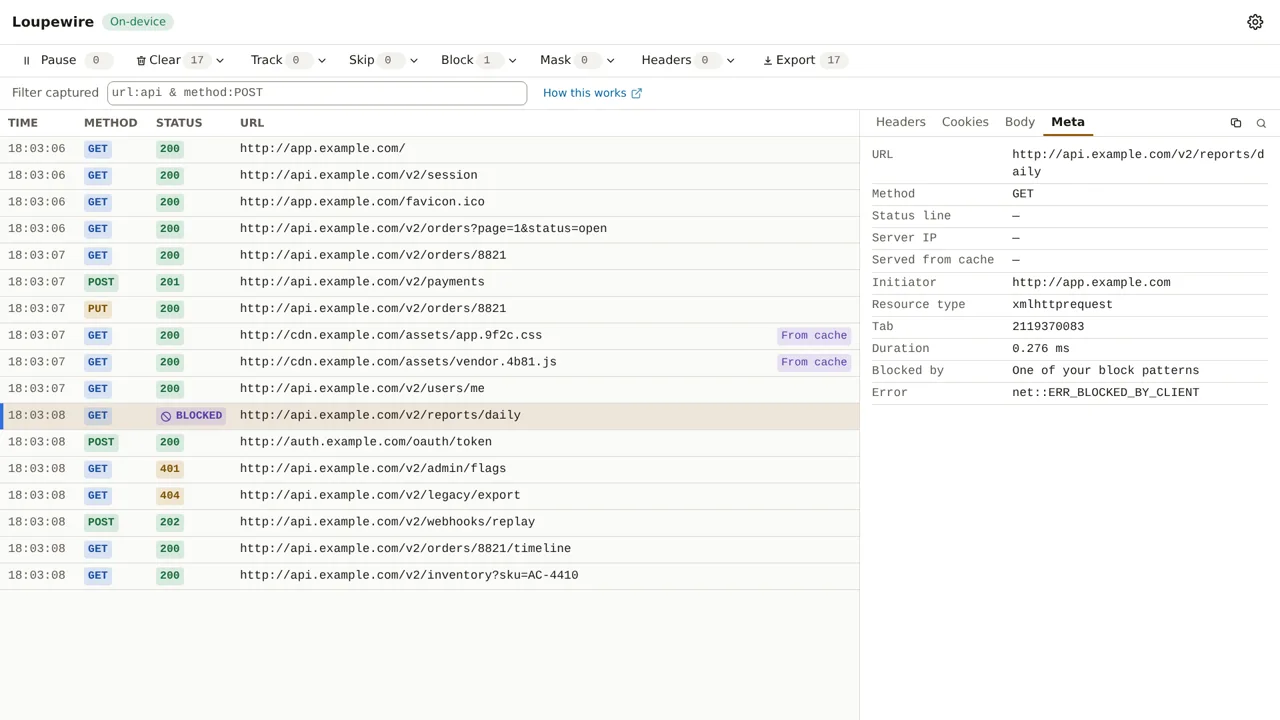
BLOCKED is not always you: every extension's blocking rule produces the same error. The tracker
records, at the moment of the block, whether one of your patterns matched, and editing your patterns
later does not change that answer.
Blocking ends with the tracker window
Close the tracker and every block pattern stops. Patterns you typed in the tracker are gone; the ones in Settings come back into force when it opens again. A rule that outlived its window would be invisible, a site that simply does not load with nothing open to explain why, so blocking only exists while the window does.
Common mistakes
- A pattern that matches the page itself.
example.comstops the document too, and the tab shows an error page. Use the narrowest part of the URL. - Using Block to quieten the table. It adds rows, marked. For fewer rows, use Skip or the filter.
- Missing rows on Brave. Shields blocks below what any extension can see, so a request it stopped has no row at all.
Not in this version
Redirecting or rewriting a URL is deliberately not part of an inspector. Regular expressions, matching by method and blocking by resource type are planned.