
Patterns: one rule, four places
Track, Skip, Block and Mask all take a pattern and do four different things with it. One matching rule, and the differences that decide what you see.
Updated
Learn the one matching rule behind Track, Skip, Block and Mask, so you know what a pattern will catch before you add it.
The rule
A pattern is a case-insensitive substring: not a wildcard, not a regular expression. api
matches https://api.example.com/v2/orders and https://shop.example.com/api/cart. The whole URL
is searched and nothing anchors, so to be more specific, type more of it:
https://api.example.com/v2/.
Track and Skip decide what is recorded, Block decides what is sent, and Mask decides what is shown.
| Where you type it | Matches | An empty list means | Also refuses |
|---|---|---|---|
| Track | the URL | record everything | |
| Skip | the URL | skip nothing | |
| Block | the URL | block nothing | *, ^, | and non-ASCII |
| Mask | a field name: header, cookie or form field | only the built-in secret preset | |
| URL filter of a header rule | the URL | every request | *, ^, | |
Every list refuses an empty pattern ("Type something to match") and a pattern it already holds.
Add a pattern
- Click Track, Skip, Block or Mask in the tracker's toolbar.
- Type the pattern and press Enter. It applies to requests from now on; rows already captured stay.
- For a pattern that should outlive this window, add it in Settings → Global patterns instead.
When Track and Skip disagree
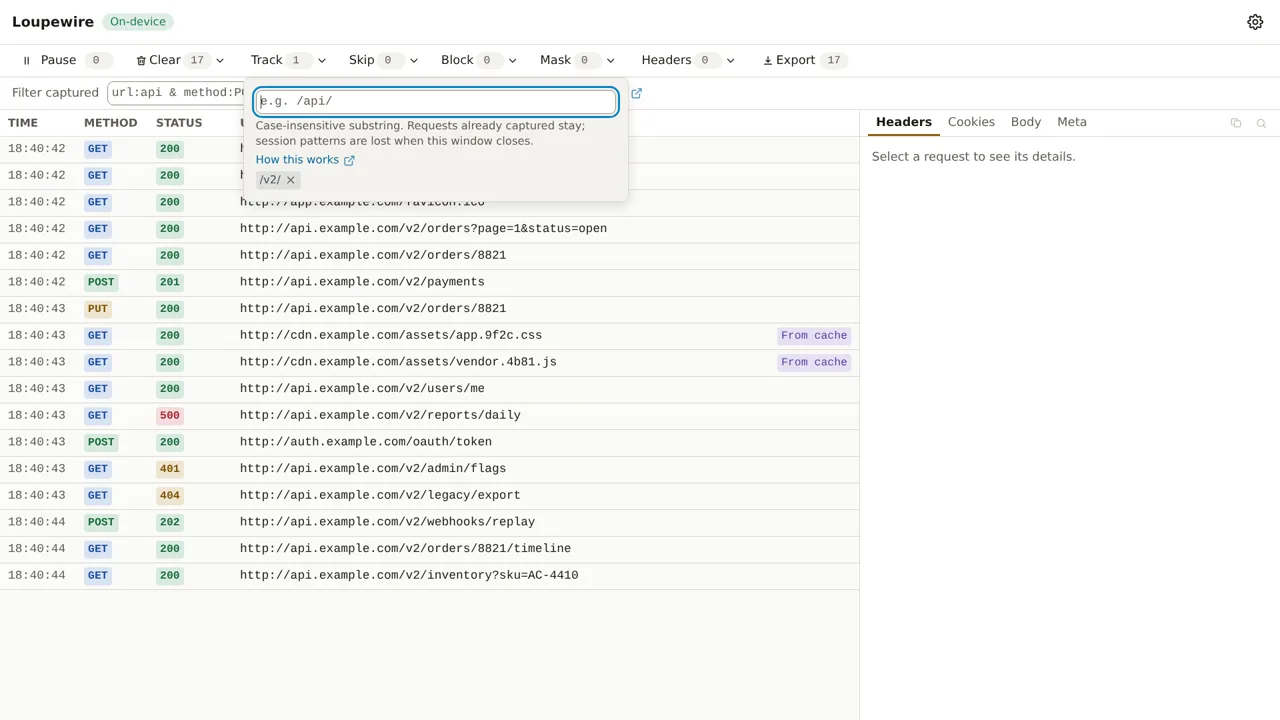
A request is recorded when the Track list is empty or matches it, and no Skip pattern matches. So a URL in both lists is not recorded, and it leaves no row, no counter, nothing to recover. When you are not sure yet, use the filter bar instead: it only hides.
Mask matches a name
Mask never looks at a URL. It covers the value of a field whose name matches, as B•••e, with
no way to reveal it. A mask pattern of /api/ covers nothing; authorization, token or the name
you see in the detail panel is what it needs. The name is stable and on screen; the value is the
secret nobody can type.
Block refuses three characters
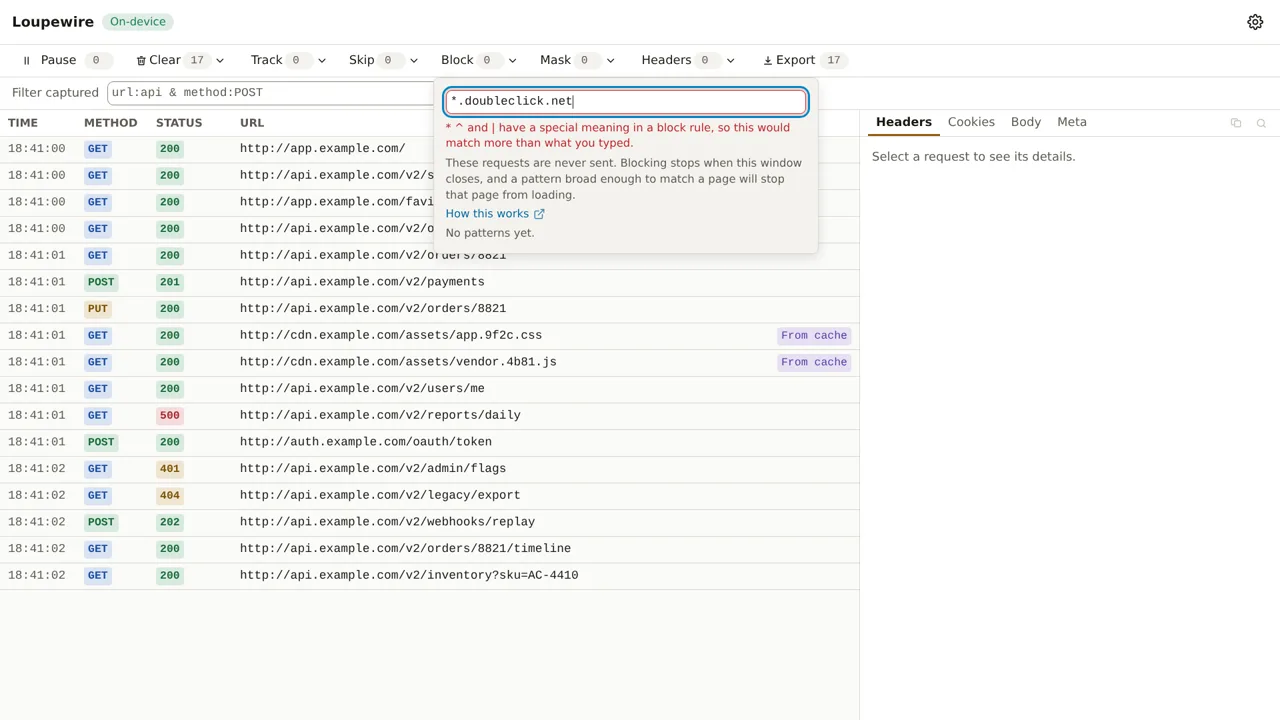
A block pattern becomes a rule for the browser's own engine, where *, ^ and | are syntax, so a
pattern containing them would match URLs you never described. Block refuses them, and the URL filter
of a header rule does too. For a non-ASCII host, type its encoded form: bücher.de is
xn--bcher-kva.de.
This window or every window
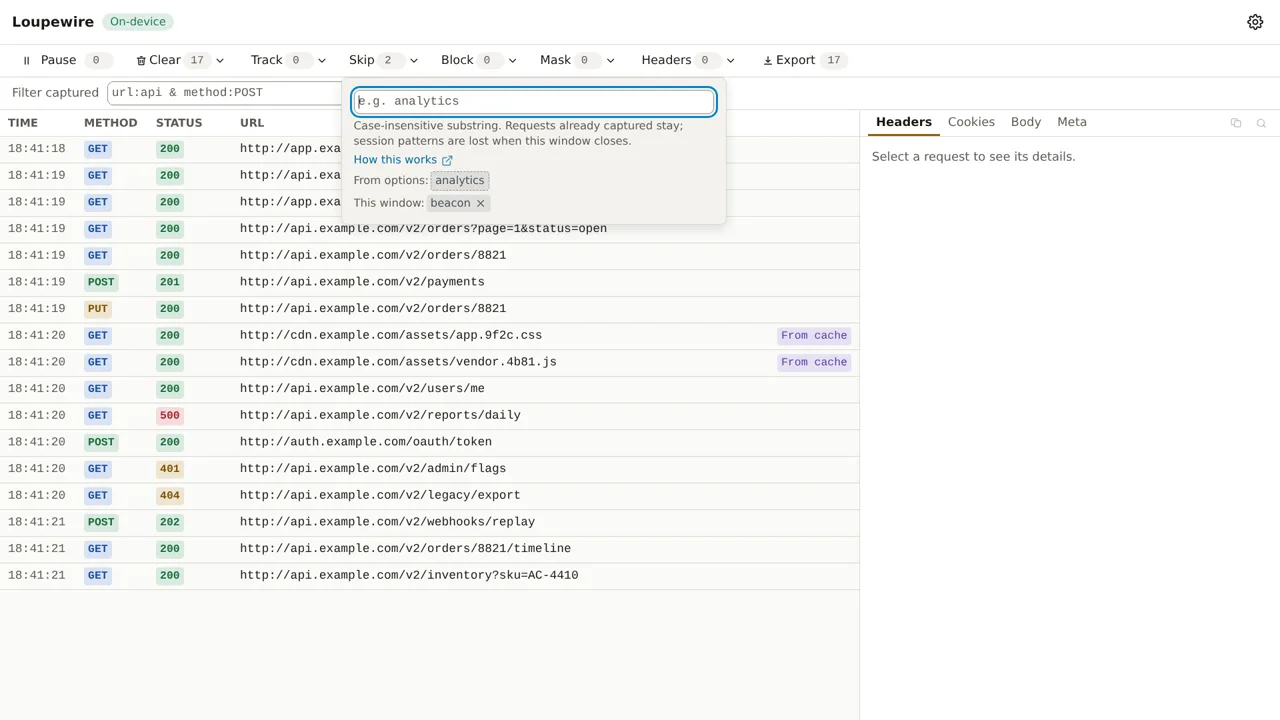
Patterns typed in the tracker belong to this window and are gone when it closes. Patterns in Settings are stored and apply to every window. The two are merged: a global pattern shows in the tracker as "From options:" without a remove button, and typing it again there is refused with "Already applied from options".
Common mistakes
- A URL typed into Mask. Mask matches field names; see above.
- A Track pattern narrower than you meant. With one entry in Track, everything not matching it stops being recorded, including the redirect you were about to follow.
- Expecting Skip to remove rows. It keeps new requests out. Rows already captured stay until you use Clear.
Not in this version
Regular expressions, wildcards and matching by HTTP method are planned. Pattern sets cannot be named, imported or exported yet; environment profiles, which switch a whole set at once, are planned.