
Mask and the secret preset
Tokens and cookies are covered before they reach the screen, and stay covered in the file. What the preset already knows, and what only you can name.
Updated
Screenshot a request or attach it to a ticket without handing over a live token: values are covered on screen and in every export.
Cover a field of your own
- Open a request and find the name of the field you must not share, such as
x-tenant-key. - Open Mask in the toolbar, type that name and press Enter.
- The value is covered at once, in the panel and in every export, with no way to reveal it.
Mask matches a field name, not a URL, so /api/ covers nothing; see
Patterns: one rule, four places.
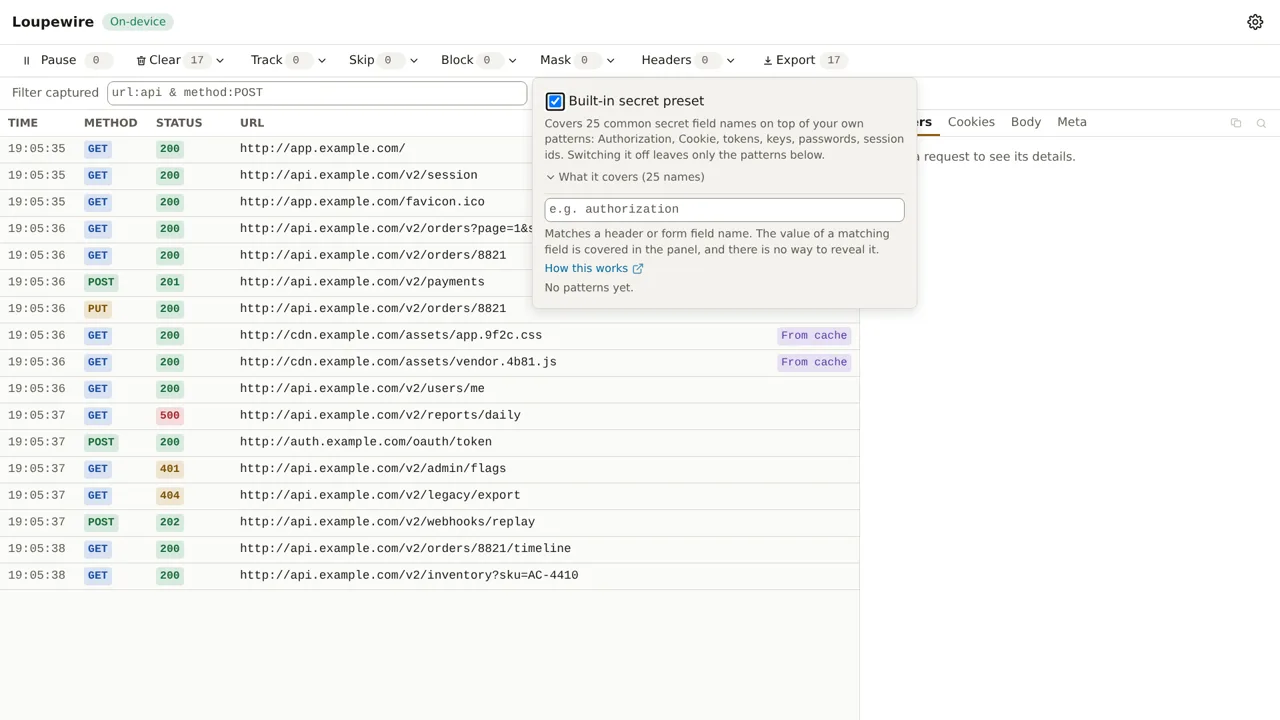
The built-in secret preset
From the first request, the preset covers Authorization, Cookie, Set-Cookie and two dozen
common token, key, password and session names. A covered value reads B•••e: first character,
three dots, last character, and a value of four characters or fewer is covered whole.
You can switch the preset off for this window only, to read a token while debugging an auth failure; a new window always starts covered. While it is off, the export dialog warns that only the patterns you wrote are covered, and more bluntly still if you wrote none.
The file is safer than the screen
A secret in a query parameter, such as …/callback?access_token=eyJ…, stays readable in the URL
column, the one you scan to find a request, and is covered in the exported file. The exported JSON
notes this, so whoever receives the file can tell.
What masking cannot reach
- A secret in a URL path, such as
…/reset/9f2c…: it has no field name to match. - A value whose field name says nothing, such as
{"data":"eyJ…"}, unless you namedata. - Response bodies, which are not captured in this version.
Common mistakes
- A URL typed into the Mask list. It matches field names, so nothing is covered.
- Assuming your custom header is covered. The preset knows common names, not yours. The badge on the panel's tab strip counts what is covered in the request in front of you.
- Expecting your own header rule to uncover a value. A header you set is still covered if a pattern names it.
Not in this version
A masking report attached to each export, saying which fields were covered and by which pattern, is planned. So is covering the URL column on screen.